
Expensive
Technology

Why didn't stone age people invent this, were they stupid?
Artificial Intelligence
Juice Jacking
It's a Layer 8 Problem
Internet
IP Address
Malware
Antimalware Software
Escape Character
Information Technology/Networking/
Internet
The internet is a loose collection of publicly available (ie. routable, connectable) computers. This definition on its own isn't very useful, but it will make sense shortly.
Much like you may have things on your device that you value (like photos, videos, music, word documents, powerpoint presentations, etc.), others may have things on their devices. Some of these people may, for one reason or another, want to share what they have with others. For example, I have a bunch of texts that I want to edit from anywhere and also be very easy to share and show to others. For this purpose, I put these texts on a computer in Karlsruhe, DE, which is quite literally what you are reading right now1). This computer in Karlsruhe is called a server. The possibilities are endless, but common services a server may provide are: Websites (ultracomfy.net, google.com, youtube.com), E-Mail (Outlook), File hosting (Google Drive, Onedrive), Forum/Social media (Tiktok, Reddit, Facebook), Messaging (WhatsApp, Telegram, Signal, Discord), Entertainment (Netflix, YouTube, Twitch), Music (Spotify, soundcloud), Online Banking and Government Services (apps for Electronic Passports).
1. What do you get from the internet?
In short, when you open a website, you connect to a computer, and that computer sends you files from its hard drive. The way these files work is no different from how files work on your own computer.
Most websites will send you the content of their website in .html format. html is similar to other file formats you may know such as .txt or .docx. In fact, you can make your own website in a file and load it into the browser:
<!DOCTYPE html>
<html>
<body>
Test
</body>
</html>
If you go to your Desktop, create a new file, call it example.txt, copy and paste the text into it, save, rename it to example.html (Make sure you have extensions enabled) and then double click, you will see it opens like a website in your browser. This is a website that is entirely empty except for one singular word: “Test”.
Notably, in the URL bar it will probably read something like this: file:///C:/Users/Username/Desktop/example.html. You have just accessed a website with your browser that was on your own hard drive. Now, I have prepared the same file and uploaded it to ultracomfy.net. You can access it at www.ultracomfy.net/html/example.html. If you double click the .html file on your Desktop, then open www.ultracomfy.net/html/example.html and put them side by side, you will find that they are exactly the same pages, with the only difference being that one is loaded from your Desktop, and the other is loaded from my computer in Karlsruhe. If you disconnected from the internet now and tried to do this test again, the file on your Desktop can still be loaded, but the file on my computer in Karlsruhe cannot, even though it is exactly the same file.
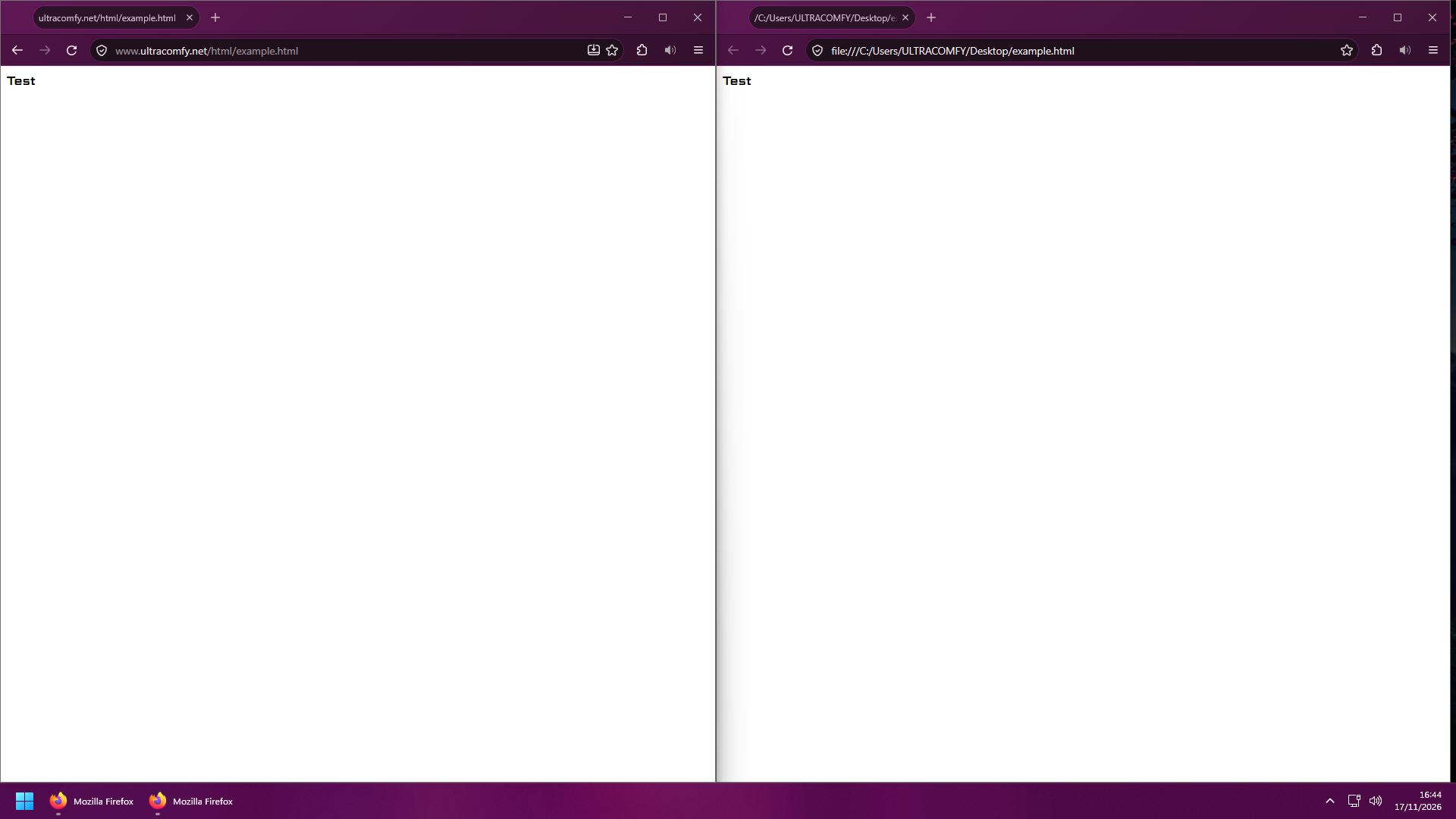
Note the different URLs.
This concept applies to anything you do on the web. Data is stored, in one way or another, on a computer somewhere out there, and your device connects to these computers to get it. Whether it is YouTube, Outlook, TikTok, Google, OneDrive or Amazon, all you are doing is downloading data like this from another computer.
2. How do you get it?
So, how do we get this data? Well, in the case of ultracomfy.net, you will find that your device does not have a cable running from where you are all the way to Karlsruhe (in the exceedingly unlikely case that it actually is connected that way, you must be a datacenter employee and are slacking off. Get back to work.). Much more likely is that you are, say, on your phone, which is connected to WLAN. To be fair, there isn't a cable between your phone and the WLAN router either, but it still counts because they are able to communicate via radio waves. Only for a short distance, so don't think about just sending radio waves all the way to Karlsruhe, but it's far enough that your phone can exchange data with your WLAN router. This WLAN router, if it has an integrated modem, will be connected via wire into the wall. In the wall there is a cable that leads to a funny little box somewhere in or around the house where the internet cables of all the flats are wired together. From there, this box has a cable that goes underground and goes towards the street, where it joins the hundreds of other cables from other households towards the next junction. This junction might be situated on the next intersection, but it might be at the end of the block or neighborhood, or however your Internet Service Provider (ISP) has engineered your neighborhood's cable routes. Where the cables are laid depends very much on how your ISP has planned it out, in the same way that your electrical power provider constructs the power lines however they see fit. Nevertheless, this junction somewhere around your neighborhood will be connected to further junctions and to get towards Karlsruhe you will have to follow the cables “upstream”. At each junction there is a computer whose job it is to pass on your signal from where it is right now to the direction of where you want to go. Using tracert in the Windows command prompt you can see each of these computers as a signal you send travels from you to the destination machine.
Of course, there doesn't have to be a network junction at every road intersection (in fact, in most there isn't). So typically there will be some sort of long cables somewhere you might think of as “highways”. These may connect different cities or, in the case of North America and Europe, deep sea cables connecting two entire continents. These typically transport the largest bulk of data traffic and are appropriately thick. Beware, though, that the constructor of the network may break up a highway at any point and place a computer somewhere in between, so just because you may see different computers in tracert doesn't necessarily mean that they are in different cities. If you are connecting to Karlsruhe from somewhere in the United States, your signal will likely be routed towards and then through the deep sea internet cables from New York City, United States, to somewhere in Europe, depending on how you get routed. From there, the signal will continue its route towards Germany.
The point is, what we think of as “the internet” has largely two components:
- One, the computer at the other end. Whether you're accessing a website, opening social media in an app, or playing an online video game, in each of these cases someone has prepared a computer somewhere with the kind of data your browser/app/game is looking for, and your browser/app/game gets that data by connecting to this computer.
- The second component is the millions of miles of cables spanning our continents and the computers sitting at junctions deciding which way to route signals. For a connection to work, there must be an unbroken chain of data flow. You at home do this by plugging a router/modem-combination into the wall plug and then connecting to it wirelessly or by plugging cables from it to your computer (or other intermediary devices). Then the chain must continue to be unbroken in transit towards the target computer, which is why construction sites on roads have the tendency to disrupt the neighborhood's internet if they, in their construction effort, hit the cables underneath the road. Finally, much like yourself, the social media platforms have computers which are connected to “the wall” in much of a similar way as your devices are. The biggest difference is that they do it on a much, much larger scale than you do (as they typically operate a huge of computers at once, in multiple locations), but functionally it is very similar (though datacenters at these scales get some special affordances to facilitate the large data flow expected here, your neighborhood connection isn't built to facilitate gigabytes or even terabytes of traffic per second).
This is also the difference between WLAN and mobile data. WLAN is facilitated by a router/modem-combination in someone's wall. Signals from your phone or computer go to that router/modem-combination and then follow the junctions and highways as detailed. When you turn off WLAN on your phone and enable mobile data, it instead radios data to the nearest cell tower. It too is basically just a fancy receiving and sending installation of radio signals, but much much more powerful than your WLAN router at home (still not far enough to get you all the way to Karlsruhe, unless you're already there). When your phone radios to that cell tower, the signal will be received by the antenna at the top of the tower and be led all the way down and then underground through cables laid out. From there, it will feed into its local junctions.
Connection via WLAN and connection via cellular data are different, even if the end result might look quite similar on the surface. Your WLAN is served by your router (or a router provided by your ISP). This device connects into the wall, and the cables behind that wall are often operated by a different company than the one that operates cell towers. For example, if you're a German you might have a broadband contract with Deutsche Telekom. They provide you with the cable in the wall and may own and operate the cables on the roads around your neighborhood, too3). Telekom, to a large degree, will also own some of the highways nearby and generally your traffic will be routed along Telekom-owned cables for a good while. However, your phone might have a SIM card and contract with Vodafone, so if you connect via cellular data, you will be connecting to a Vodafone cell tower4). They themselves will route you through cables that they own. The point is, the route your signal travels is very different when you access the internet from your WLAN as opposed to cellular data5).
Finally, data transfer, even outside of your home, may use wireless technologies. There are ground-based stations that can transmit IP signals via radio waves, and technologies like Starlink use satellites to relay IP traffic from one place to the next. Cables aren't used everywhere, but they're the most cost-efficient option in most cases. The exception of course are WLAN and Cellular Data. WLAN is popular because it is short-range and short-range radio equipment is cheap enough to be marketed at scale. Cellular Data is commercially viable because the alternative wouldn't be pretty. You can just about connect houses with cables because they stay in place, but mobile phones move about which introduces a lot of virtually unsolvable logistical challenges if you tried to connect them with cables.